

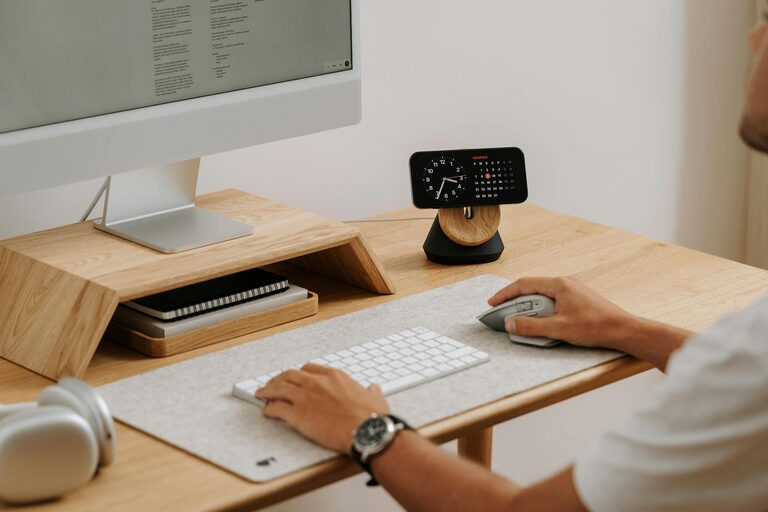
Creating a productive home office environment is essential for anyone working remotely or managing tasks from home. A well-designed workspace not only improves efficiency but also helps maintain a healthy work-life balance. This post explores practical tips to transform your home office into a productive and comfortable area that supports your professional goals.
Choose the Right Location
Finding the ideal spot for your home office is the first step. Consider the following:
– Natural Light: Position your desk near a window to benefit from daylight, which can enhance mood and reduce eye strain.
– Quiet Area: Select a space away from household noise and distractions.
– Space Availability: Ensure the area has enough room for your computer, documents, and other necessary items without feeling cramped.
Invest in Ergonomic Furniture
Comfort plays a critical role in productivity. An ergonomic setup helps prevent physical discomfort and long-term health issues.
– Chair: Use a supportive office chair that encourages good posture.
– Desk: Choose a desk at the right height to avoid strain on your wrists and shoulders.
– Monitor Position: Keep your screen at eye level to promote a neutral neck position.
Declutter and Organise Your Workspace
A tidy workspace prevents distractions and helps you focus better.
– Storage Solutions: Use shelves, drawers, and organisers to keep office supplies in order.
– Minimalism: Only keep essential items on your desk to maintain a clean environment.
– Cable Management: Use clips or sleeves to keep cables untangled and out of sight.
Optimise Lighting
Proper lighting reduces eye fatigue and creates an inviting workspace.
– Task Lighting: Add a desk lamp with adjustable brightness for focused work.
– Ambient Lighting: Use soft overhead lighting to avoid harsh contrasts.
– Reduce Glare: Position screens and lights to prevent glare on your monitor.
Establish Effective Work Habits
Your environment supports good habits that enhance productivity.
– Set a Schedule: Keep regular working hours to create structure.
– Breaks: Take short breaks to stretch and refresh your mind.
– Limit Distractions: Use noise-cancelling headphones or background music if needed.
Personalise Your Office
Adding personal touches can make your workspace more enjoyable.
– Plants: Indoor plants can improve air quality and boost mood.
– Artwork: Use pictures or prints that inspire you.
– Comfort Items: Include items like cushions or blankets to increase comfort.
Use Technology Wisely
Leverage tools and technology to streamline your work.
– Reliable Internet: Ensure a stable connection to avoid interruptions.
– Organisational Apps: Use calendars, to-do lists, and project management tools.
– Backup Systems: Regularly save work to avoid data loss.
Maintain Work-Life Balance
A good home office helps separate professional and personal life.
– Dedicated Space: Keep your office separate from leisure areas.
– End-of-Day Routine: Shut down your equipment and tidy up to signal the end of work.
– Avoid Overworking: Stick to your planned schedule to prevent burnout.
Regularly Review and Improve
Your needs may change over time, so it is important to reassess your setup.
– Evaluate Comfort: Adjust furniture or equipment as needed.
– Update Organisation: Refresh your filing and storage systems.
– Solicit Feedback: If sharing space, discuss improvements with household members.
—
By taking these steps, you can design a home office that supports focus, comfort, and productivity. Remember, a space tailored to your needs makes working from home not only effective but also enjoyable.